

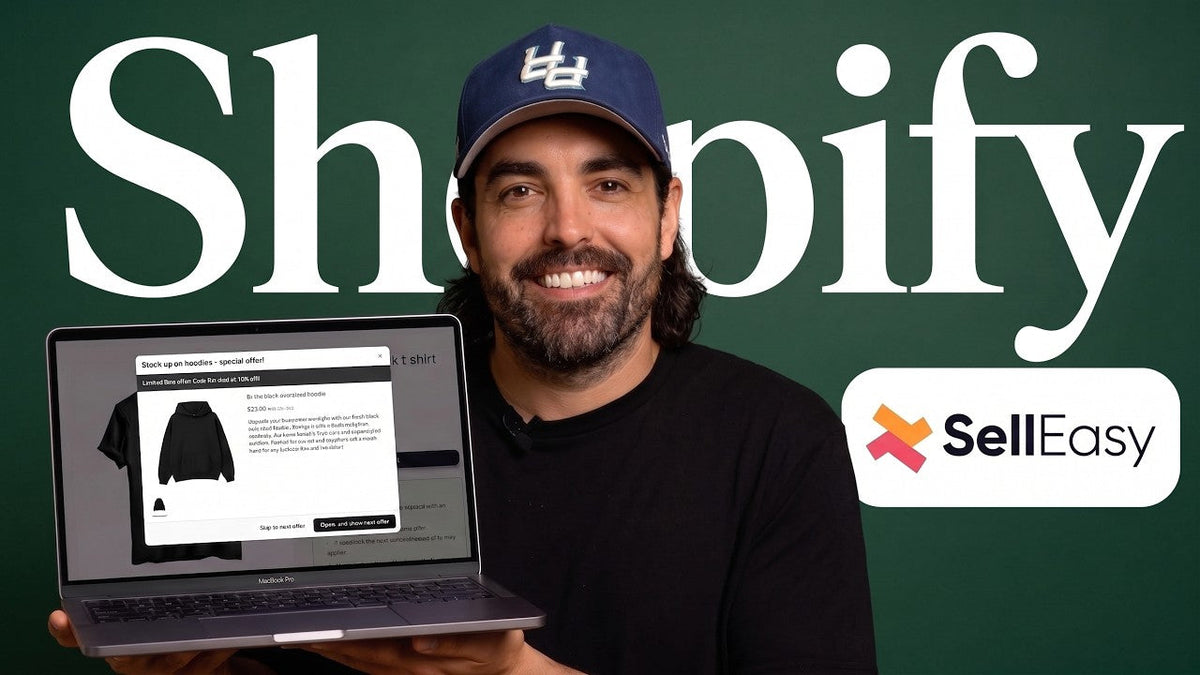
If your clothing store’s average order value is lower than you want, your first instinct might be to spend more on ads.
I’d look somewhere else first.
There’s a small window where a customer is already convinced enough to spend money with you. They’ve chosen the hoodie. They’ve picked their size. They’ve either hit Add to Cart or completed the purchase.
That’s when I want to make another offer.
Not another random hoodie.
Not five pop-ups.
And definitely not a wall of “You may also like” products that have nothing to do with what they’re buying.
For most clothing brands, there are two offers I would start with:
-
A “Complete the Fit” offer on the product page
-
A post-purchase offer immediately after checkout
One happens before the customer buys.
The other happens after the money has already been collected.
Used correctly, these two offers can increase average order value without making your store feel like it’s constantly trying to squeeze another dollar out of the customer.
Let me show you exactly how I’d set them up.
Why Apparel Upsells Are Different
Upselling a consumable is fairly straightforward.
If you sell supplements, skincare or something people regularly use up, “Buy 2, Get 1 Free” makes sense.
People need more of the product eventually.
Apparel is different.
If somebody just added a black hoodie in size large to their cart, showing them four more black hoodies probably isn’t going to increase your AOV.
At best, they ignore them.
At worst, you make them second-guess the hoodie they already chose.
That’s why I normally see three types of upsells working better for clothing brands.
Complete the fit
Someone buys a hoodie.
Show them the matching joggers and beanie.
Different products. Same outfit.
I actually learned this years ago when I worked at Buckle.
If someone took a pair of jeans into the fitting room, we were trained to grab a couple of items that complemented the jeans and put them over the dressing-room door.
We weren’t trying to sell them another identical pair of jeans.
We were helping them see the whole outfit.
The same principle works online.
Low-friction accessories
Think:
-
Socks
-
Hats
-
Beanies
-
Tote bags
-
Patches
-
Sticker packs
-
Small accessories
For many apparel brands, something around the $12–$25 range is an easier addition than another $70 or $100 garment.
Accessories can also have another advantage: fewer sizing decisions.
That matters because increasing AOV doesn’t help much if your return rate increases along with it.
Volume offers on basics
There is one exception to my “don’t offer them more of the same thing” rule.
Basics.
Tees, underwear, socks and similar products can work well with quantity offers because customers logically use multiples.
“Buy 2 tees and save 15%” makes sense.
“Buy 2 identical winter jackets and save 15%” probably doesn’t.
The offer has to fit the way people actually buy the product.
Offer #1: Complete the Fit on the Product Page
If I could choose only one pre-purchase upsell for a clothing brand, this is usually where I’d start.
The customer is already looking at the product.
They’ve already imagined themselves wearing it.
Now I want to make it easy for them to finish the outfit.
A good offer might look something like this:
Customer is viewing:
Black oversized hoodie — $74
Complete the Fit:
Black joggers — $58
Black beanie — $22
Instead of a $74 order, you now have the opportunity to turn it into a $154 order.
I’m not saying every customer will take all three.
They won't.
That isn’t the point.
The point is that you’ve placed a logical offer in front of someone who has already shown buying intent.
Why I Prefer Manual Pairings
Most Shopify themes already have some type of “You may also like” or recommended-product section.
The problem is that those recommendations can be too generic.
If I’m serious about increasing AOV, I don’t want to leave my most important product combinations completely to an algorithm.
For your best-selling products, I’d manually decide what belongs together.
If the trigger product is a gray T-shirt, maybe I pair it with:
-
Black shorts
-
Gray beanie
If it’s a women’s jacket, maybe I pair it with:
-
Matching pants
-
An accessory
The merchant normally knows the collection better than the software does.
That knowledge is valuable.
How I’d Build This in Shopify Using Selleasy

One app that makes this fairly simple is Upsell & Cross Sell — Selleasy from Logbase.
As of September 2026, the Shopify App Store lists Selleasy as a Built for Shopify app with a 4.9 rating from 2,681 reviews. It supports product-page upsells, cart upsells, checkout offers, post-purchase offers, bundles, AI recommendations and recommendation analytics.
The pricing is also straightforward:
-
Up to 50 orders per month: free to install
-
Up to 500 orders: $9/month
-
Up to 1,000 orders: $19/month
-
More than 1,000 orders: $29/month
One detail that is easy to miss: pricing is based on your store’s total monthly order count, not how many orders use an upsell.
So if you process 900 orders and only 40 customers interact with an upsell, you’re still in the 1,000-order tier.
Step 1: Enable the app embed
Inside Shopify:
Online Store → Themes → Customize → App embeds
Enable Selleasy.
That gives the app permission to display its storefront components within your active theme.
Step 2: Create the Frequently Bought Together campaign
Inside Selleasy, create a new campaign and choose the Frequently Bought Together option.
For apparel, I generally prefer the compact Amazon-style version because it shows the trigger item and complementary products together without taking over half the product page.
Step 3: Choose your trigger
You have a few ways to do this.
You can trigger the offer using:
-
One specific product
-
A group of products
-
A collection
-
Product tags
-
All products
For your best sellers, I prefer specific targeting.
If one hoodie generates a large percentage of your revenue, I want to control exactly what appears beside it.
For larger catalogs, collections can save time.
For example:
Trigger collection: T-Shirts
Offer products: Your three best-selling shorts
That allows the same complementary group to appear across multiple T-shirts without manually configuring every SKU.
Step 4: Choose the actual products
This is where a lot of stores get lazy.
Don't.
Spend some time building combinations that make visual and commercial sense.
I’d start with your top 10 products.
For each one, ask:
“If I were helping this customer in a physical clothing store, what two things would I put beside this product?”
That’s usually a much better starting point than:
“What other products does Shopify recommend?”
Step 5: Control the variants
Variant-level control is particularly useful in apparel.
Suppose you sell a gray tee, and your matching beanie is available in gray and red.
I may want the gray variant displayed rather than allowing the upsell to default to red.
You can also configure variant behavior so that where appropriate, a selected size can carry through to the accompanying product.
If a customer chooses a large top and your accompanying product is also sized, this removes another decision.
Every extra decision creates friction.

Caption: Instead of relying on generic recommendations, manually pair your top-selling Shopify products with items that genuinely complete the outfit.
Where Should the Offer Appear?
For the product page, I normally want the bundle close to the primary buying decision.
In Shopify’s theme editor:
Product template → Product information → Add block → Apps → Frequently Bought Together
I would generally position it directly below the main Add to Cart/buy buttons.
Why?
Because the customer can still buy the original product normally.
You aren’t forcing the bundle.
You’re simply saying:
“You picked this. These two things go with it.”
I’d also keep the offer tight.
One trigger item.
One or two accompanying products.
Not six.
More products do not automatically mean more revenue.
Sometimes they just mean more decisions.
Should You Discount the Bundle?
Not necessarily.
If the products naturally go together, test the complete-the-fit offer without a discount first.
You may find customers don’t need one.
If you do want to use a discount, something like:
Complete the look and save 10%
can create enough incentive to move the customer.
But test it.
The objective isn’t to generate the largest possible “upsell revenue” number.
The objective is to generate more profitable revenue per visitor.
Those are different things.
Offer #2: The Post-Purchase Upsell
This might be my favorite upsell placement.
Why?
Because the original sale has already happened.
The customer has paid.
You aren't interrupting their checkout.
You aren't putting another decision between them and the purchase.
The core conversion is already complete.
Now you can show them something like:
One more thing...
Add this beanie to your order for 30% off.
No need to enter your payment information again.
If they decline, you still have the original order.
If they accept, you’ve increased the value of a customer you already paid to acquire.
That’s a very different risk profile from throwing another popup in front of someone who is still trying to pay.
Shopify currently allows eligible post-purchase apps on Basic plans and higher, while extensions inside the information, shipping and payment stages of checkout remain restricted to Shopify Plus.
That distinction matters.
A store owner may hear “checkout upsell” and assume all of these placements require Plus.
They don't.
What Should You Sell Post-Purchase?
I normally look for something inexpensive, easy to understand and easy to add.
For apparel brands, that could be:
-
A beanie
-
Socks
-
A hat
-
A belt
-
A tote
-
A sticker pack
-
A small accessory
There’s another use for this placement that I like:
slow-moving inventory.
Imagine you have a particular colorway that hasn’t moved.
The customer just spent $80 with you.
Now you offer them a $25 accessory at 30% off.
Your margin is smaller, but you are moving inventory without paying to acquire another customer.
That can be a much better trade.
How to Configure the Post-Purchase Offer
Inside Selleasy:
Create a new campaign and choose one of the post-purchase offer layouts.
Then decide when the offer should fire.
You might show the same offer to every customer, but I prefer relevance where possible.
For example:
Customer buys: Hoodie
Post-purchase offer: Beanie
or:
Customer buys: Women's jacket
Post-purchase offer: Matching tote
Set the discount only as aggressively as you need.
If the product is genuinely unwanted inventory, 20–30% might make sense.
If it's one of your strongest accessories, perhaps you don't need that much incentive.
Shopify lets merchants add features from compatible apps after payment and before the customer reaches the order confirmation page. Only one post-purchase app can occupy that role at a time, so check your existing checkout configuration before adding another.

Caption: Post-purchase offers appear after payment, making them a lower-risk place to test an additional product offer.
Don't Turn On Every Upsell You Can Find
Selleasy provides a lot of placements.
You can put offers on:
-
Product pages
-
Product add-on sections
-
Cart pages or drawers
-
Cart popups
-
Checkout
-
Post-purchase, thank-you and order-status pages
The fact that you can use all of them doesn’t mean I think you should.
I’ve seen stores where customers encounter an offer on the product page, another when they add to cart, another inside the cart, another before checkout and another after the sale.
It starts feeling less like a clothing brand and more like being cornered by a salesperson who won't stop talking.
More upsells can actually work against you if they hurt the conversion rate of the main product.
For most apparel brands, I’d start with just two:
Before purchase: Complete the Fit
After purchase: Post-Purchase Offer
Then measure them.
The Metric Most Store Owners Get Wrong
Selleasy gives you data such as click-through rates, conversion rates and recommendation performance.
That's useful.
But I don't want you staring at one number:
Upsell revenue.
Of course the number is above zero.
You've put additional products and possibly discounts in front of customers.
The real question is:
Did your actual AOV increase?
Compare a meaningful period before and after implementing the offer.
I prefer:
30 days before vs. 30 days after
rather than Monday vs. last Monday.
Weekly data can be noisy.
Your Meta ads may have changed.
You might have had an email campaign.
A TikTok video may have taken off.
Your traffic mix might be completely different.
Give yourself enough data to see whether the offer is genuinely changing buying behavior.
The Second Metric: Primary Conversion Rate
This is the one I see store owners overlook.
Imagine your upsell increases AOV by $6.
Sounds great.
But what if your product-page conversion rate falls enough to wipe out the additional revenue?
You haven't improved the store.
You've made it worse.
That’s why I want to track:
Revenue per session, not just AOV.
A simple way to think about it is:
Revenue per session = Conversion Rate × Average Order Value
For example:
Before the upsell
Conversion rate: 3.0%
AOV: $80
Revenue per 100 sessions:
3 orders × $80 = $240
After the upsell
Conversion rate: 2.6%
AOV: $86
Revenue per 100 sessions:
2.6 orders × $86 = $223.60
Your AOV went up.
Your business made less money.
That's why I never judge an upsell strategy from the app dashboard alone.
Go back into Shopify Analytics and look at the whole funnel.

Before vs. After AOV Test
|
Metric |
Before |
After |
|---|---|---|
|
Product conversion rate |
3.0% |
2.6% |
|
Average order value |
$80 |
$86 |
|
Revenue per 100 sessions |
$240 |
$223.60 |
Caption: Higher AOV doesn't automatically mean higher revenue. Watch conversion rate and revenue per session at the same time.
Watch Your Return Rate Too
This is especially important in apparel.
If you're increasing AOV by encouraging customers to buy additional sized garments, your return rate may rise.
That can quietly wipe out the gain.
It's one reason I like accessories.
A hat, tote or sticker pack generally creates less sizing friction than another fitted garment.
Your real question should always be:
“Did this increase profitable revenue after returns, discounts and fulfillment costs?”
Not:
“Did the upsell app say I generated another $4,000?”
How AI Recommendations Fit Into This
Selleasy also offers AI-powered product recommendations, and its current Shopify listing includes 50 free AI recommendations within its pricing tiers.
I think AI recommendations become more interesting when you have enough order volume for the system to learn what people actually buy together.
But I wouldn’t automatically trust AI with your top 10 products on day one.
If you know your catalog, start manually.
Let the data build.
Then compare your human pairings against AI-generated recommendations.
AI is most useful here when it saves you from manually managing hundreds or thousands of combinations.
It shouldn't replace basic merchandising judgment.

Your Store Doesn't Live Only on Google and Facebook Anymore
There's another reason I want store owners looking at the full customer journey rather than one app dashboard.
Traffic is fragmented.
Your customer may discover you through:
-
Instagram
-
Facebook
-
Google
-
TikTok
-
Creator content
-
Email
-
SMS
-
Direct traffic
-
Social commerce
TikTok Shop, for example, now integrates with Shopify in supported markets so merchants can sync catalog data, inventory, fulfillment and orders. Customers can buy through shoppable videos, LIVE shopping and product showcases without following the traditional Online Store journey.
That creates an important measurement issue.
Your beautifully configured Shopify product-page upsell doesn't necessarily follow the customer into another platform's native checkout.
So segment your performance by sales channel.
If Online Store AOV increases while TikTok Shop AOV stays flat, that doesn't mean your upsell isn't working.
It means customers are experiencing different purchase flows.
As social commerce grows, your AOV strategy has to be channel-aware.
One Shopify Flow Automation I'd Set Up Immediately
Any app that automatically changes prices, creates discounts or touches the checkout deserves monitoring.
Selleasy currently has overwhelmingly positive reviews—97% of its Shopify App Store ratings are five stars—but no ecommerce app should be treated as something you install and then forget forever.
I'd create a simple Shopify Flow safeguard.
Shopify Flow conditions can evaluate order values, including whether an order total is above or below a specified amount.
Your workflow might look like:
Trigger: Order created
Condition:
Order total is less than $10
Action:
Tag order: CHECK-LOW-VALUE
Send internal notification/email to staff
Change the threshold to whatever makes sense for your catalog.
If your cheapest legitimate order is $25, maybe your trigger is $15.
The exact number isn't important.
The safety net is.
If something goes wrong with a discount rule, I want someone knowing about it before the warehouse ships the order.
Test Every Discount Like a Customer

Whenever you change a bundle or discount rule, place a real test order.
Don't just preview it.
Don't assume the math is correct because the settings screen looks correct.
Go through the storefront exactly as your customer will:
-
Select the product.
-
Select the variant.
-
Add the bundle.
-
Complete checkout.
-
Check the order inside Shopify.
-
Confirm the discount.
-
Confirm the product quantities.
-
Confirm the final amount charged.
Then cancel/refund the test order as appropriate for your payment setup.
I would also review your orders weekly.
Sort them by total value from lowest to highest.
It takes very little time and can reveal pricing or discount problems quickly.
That's basic ecommerce hygiene.
Who Should Use This Strategy?
I'd strongly consider these two offers if:
-
You run a clothing or apparel Shopify store.
-
You already have consistent orders.
-
Your catalog contains complementary items.
-
You sell low-friction accessories.
-
You have basics that make sense as quantity purchases.
-
You want to increase AOV without simply buying more traffic.
I would not make upsells my priority if you're pre-launch or getting only a handful of orders.
You probably don't have enough data yet.
I'd also look elsewhere if your store has one hero product and virtually nothing complementary under $50.
An upsell app can't sell products you don't stock.
In that situation, your problem may be the catalog itself.
And sometimes the problem isn't AOV at all.
Your product page may not be converting.
Your offer may be weak.
Your traffic could be wrong.
Your margins may be the real issue.
That’s why I don't automatically tell every clothing brand, “Install an upsell app.”
I want to know where the bottleneck actually is.
My 30-Day AOV Test
If I were running your Shopify clothing store, here's what I would do.
Week 1: Identify the top 10 products by revenue and manually create one logical Complete the Fit combination for each.
Week 1: Create one low-friction post-purchase offer using an accessory or slower-moving product.
Weeks 2–4: Leave the setup relatively stable so you can collect usable data.
Then compare the following against the previous 30-day period:
-
Average order value
-
Product-page conversion rate
-
Revenue per session
-
Upsell conversion rate
-
Revenue by product pairing
-
Return rate
-
Discount cost
-
Gross margin after the discount
Then kill the pairings that aren't working.
If five combinations are producing the majority of the results, double down on those.
Don't keep every upsell alive because you spent time setting it up.
Let the numbers decide.
The Bottom Line
If your AOV is low, you don't necessarily need another ad campaign.
Sometimes the customer you already acquired simply isn't being shown the right second product at the right time.
For clothing brands, I'd start with two offers:
1. Complete the Fit on the product page.
Show the customer one or two products that genuinely complement what they're already buying.
2. A low-friction post-purchase offer.
Make one strong offer after the customer has already completed their purchase.
Keep it simple.
Don't hit customers with offers at every possible step.
Build the combinations intentionally.
Test the actual checkout.
Measure AOV alongside conversion rate, revenue per session and returns.
And give it enough time to generate meaningful data.
If you're looking at your numbers and you're still not sure whether AOV is actually the problem, that's something we can figure out together.
I offer a free strategy call where we'll look at your Shopify store, identify the real bottleneck and determine what I'd fix first.
Schedule your free strategy session here:
https://www.optimizedstoreowner.com/schedule-strategy-session
Because sometimes you need an upsell.
And sometimes fixing something earlier in the funnel will make you a lot more money.


Share:
How Shopify's Smart Pricing App Actually Works (Full Walkthrough)
The Clothing Brand Offer Strategy That Actually Makes Money