

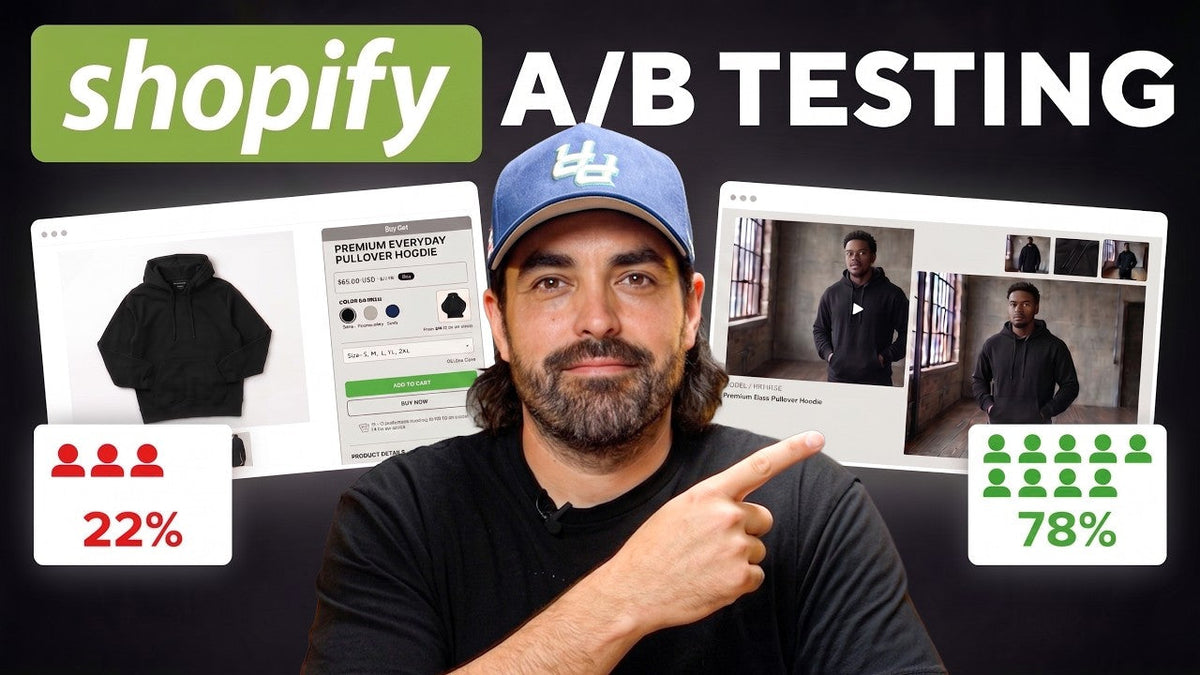
What Shopify Smart Pricing Does
There are three practical use cases inside Shopify Smart Pricing:
Markdown and markup tips. Shopify uses store sales and inventory data, adjusted for seasonality and product trends, to suggest modest price changes.
New-product price tips. For recently added products, Shopify can use public pricing from similar products on Shopify to suggest a starting price.
A/B pricing experiments. Eligible merchants can test an existing price against an experimental price before making the change permanent.
That last feature is where Smart Pricing becomes especially useful for established Shopify brands. Instead of asking, “Could we charge $58 for this $55 hoodie?” you can turn that assumption into a controlled experiment.
Shopify Pricing: Where Smart Pricing Fits
Shopify pricing is more than choosing a number that looks competitive on a product page. For ecommerce brands, the right price has to balance customer demand, product costs, inventory levels, conversion rates, and profitability.
That is where Shopify Smart Pricing becomes useful. Rather than treating Shopify pricing as a permanent decision, merchants can use pricing recommendations and controlled experiments to understand how customers respond to different price points.
A strong Shopify pricing strategy should therefore consider more than conversion rate alone. A product that sells more units at a lower price is not necessarily a better result if the additional sales come at the expense of profit. Smart Pricing gives merchants a way to test these tradeoffs using actual store performance.
How Shopify’s A/B Price Testing Works
When you create a Shopify price testing experiment, Shopify temporarily creates two catalog experiences for the online store. When you create a pricing experiment, Shopify temporarily creates two catalog experiences for the online store. The control keeps the original price. The experimental catalog uses the test price. Customers are randomly split between the two experiences, with each receiving roughly 50% of eligible store traffic.
For example:
|
Version |
Hoodie Price |
|
Control |
$55 |
|
Experiment |
$58 |
This is a true Shopify price testing workflow, not a five-price multivariate experiment. Shopify’s current workflow compares the control catalog with one experimental catalog. A single experiment can include multiple products, which matters when you are testing a pricing strategy across a group rather than one isolated SKU.

Suggested visual: Smart Pricing experiment setup showing the control and test prices.
Shopify A/B Testing for Product Pricing
Shopify A/B testing allows merchants to compare different versions of an ecommerce experience and measure how customers respond. In the case of Smart Pricing, the variable being tested is the product price.
For example, a clothing brand could keep one group of customers on a $55 hoodie while another group sees the same hoodie at $58. Because the product, positioning, and other major variables remain consistent, the merchant can get a clearer view of what the price change actually did.
The important distinction is that Shopify A/B testing is not simply about finding the price that generates the highest conversion rate. The goal is to understand which price produces the strongest overall business outcome, including revenue and profit.
This makes pricing experiments particularly useful for brands that have enough traffic to test a hypothesis rather than making pricing decisions based entirely on assumptions.
Why This Matters for Apparel and Seasonal Brands
Pricing becomes more difficult when inventory has a shelf life. A jacket that is healthy inventory in October can become trapped cash a few months later. The default response is often a broad promotion, but that can discount products that were selling perfectly well at full price.
Smart Pricing gives you a narrower question to test. If one jacket is moving slowly, test that product or a tightly related group before teaching your entire customer base to wait for the next sitewide sale.
The same logic works in reverse. If a hoodie repeatedly sells through at full price, the current price may be leaving margin on the table. You do not have to assume it is underpriced. Test a modest increase and measure what happens to profit, not just conversion.
Eligibility: Check Your Store Before You Build a Plan Around It
Shopify’s A/B pricing experiments are still an early-access feature for select stores, so availability can vary. Shopify also notes that merchants who have experiment access but do not receive AI price tips may still be able to create manual price experiments.
Because these requirements can change, check the Smart Pricing app in your own Shopify admin before planning a campaign around the feature. This is one area where a walkthrough can become outdated quickly.
The Metrics That Actually Matter
A pricing experiment is not a conversion-rate contest. A lower price can increase conversion while reducing total profit. A higher price can lower conversion slightly and still produce a better business result.
Shopify’s experiment reporting is designed around that broader economics question. Depending on the results view, you can evaluate metrics such as units sold, revenue, cost of goods, profit, conversion rate, average order value, and profit-oriented performance.
A simple example makes the point:
Price A converts at 4.0% and produces $4,000 in profit.
Price B converts at 3.8% and produces $4,350 in profit.
If you only optimize for conversion, you would pick Price A. If the business objective is profitable growth, Price B may be the better decision.
That is also why product cost data matters. If your cost-of-goods values are missing or unreliable, the profit side of the analysis becomes much less useful.

Suggested visual: Smart Pricing results dashboard. Highlight profit, revenue, AOV, and the experiment summary.
Technical Setup: Clean Product Data Before You Test
Before running an experiment, make sure Shopify has accurate cost and inventory data for the products involved. If a jacket retails for $120 and costs $46 landed, that cost should be maintained in the product or variant record so your team can evaluate the margin impact of the test.
For larger catalogs, use Shopify metafields to make experiment selection easier. For example, create structured fields for:
Season: SS26, FW26, Evergreen
Lifecycle status: New, Core, Slow mover, Clearance candidate
Margin band: High, Medium, Low
Restock status: Reorderable, Limited, Final stock
Merchandising priority: Hero, Supporting, Long tail
You can then use those attributes operationally to build cleaner test cohorts. Metaobjects are useful when the same structured information needs to be reused across products or collections. Smart Pricing does not automatically treat every custom metafield as a pricing-model input, but better catalog structure makes it easier for your team to decide what deserves a test.
A Practical First Experiment
Start with a clear hypothesis, not a random price change.
Scenario 1: slow-moving outerwear. A jacket is $120, sales have slowed, and inventory coverage is too high. Instead of launching a 30% sitewide sale, test the jacket at $105 or $100. Your hypothesis might be: “A targeted price reduction will increase unit velocity enough to improve total gross profit and reduce inventory exposure.”
Scenario 2: high-demand bestseller. A $55 hoodie repeatedly sells out at full price. Test $58. Your hypothesis might be: “A modest price increase will improve profit without materially reducing demand.”
Those are two different business problems, so they should not be treated as the same pricing strategy.
Do Not Change Other Variables Mid-Test
This is basic experimentation discipline, but it is easy to ignore in ecommerce. If price is the variable, keep the rest of the product experience as stable as possible.
Do not replace the hero photography halfway through the test.
Do not rewrite the product page at the same time.
Do not add a new sitewide discount or free-gift promotion.
Do not change the merchandising position of the tested products without documenting it.
If conversion moves after you changed the price, photography, offer, and page layout, you no longer know what caused the result.
Paid Media, Social Commerce, and TikTok Shop Need Special Attention
Shopify’s pricing experiment applies to the Shopify online-store experience. It does not mean every external channel automatically displays the experimental price.
That creates a practical merchandising risk. A Meta ad, Google Shopping listing, creator post, email, or TikTok Shop product could display one price while the Shopify landing page presents another.
Before launching the experiment, audit every active touchpoint that explicitly shows price. If an ad creative says “$55” but some Shopify visitors are being tested at $58, the customer experience is inconsistent and your experiment is harder to interpret.
This is increasingly important because the path to purchase is no longer just ad → product page → checkout. Customers can discover products through short-form video, creator content, social commerce, AI-assisted shopping experiences, and marketplace-style feeds. Treat price consistency as an omnichannel merchandising problem, not simply a Shopify-admin setting.
AI Personalization: Know the Boundary
Smart Pricing should not be confused with one-to-one AI personalization. Shopify states that its price tips are not generated for individual customer segments based on personal characteristics, and the A/B experiment randomly assigns traffic between the control and experimental catalogs.
Shopify also warns that A/B pricing experiments are not compatible with third-party personalization apps. If your storefront already changes content, offers, or merchandising dynamically, review that stack before you assume Smart Pricing can run cleanly alongside it.
Shopify Dynamic Pricing vs. Smart Pricing
Shopify dynamic pricing can mean different things depending on the ecommerce system being discussed. Generally, dynamic pricing refers to prices changing according to factors such as demand, inventory, timing, customer behavior, or other predefined conditions.
Shopify Smart Pricing should not automatically be treated as a one-to-one Shopify dynamic pricing system. Its pricing experiments use a control price and an experimental price, with eligible traffic randomly assigned between the two experiences.
That distinction matters. Smart Pricing is designed to help merchants test and evaluate pricing decisions, rather than continuously changing every customer's price based on their individual characteristics.
For brands considering a Shopify pricing strategy, understanding this difference helps set realistic expectations about what the tool can and cannot do.
Document the Experiment With Visual Evidence
If you want the test to become useful institutional knowledge instead of a one-off decision, keep a visual record. This is also where the article itself can become more credible.
Capture three sets of screenshots:
Before: product price, product cost, inventory level, recent sales velocity, and the hypothesis.
During: control price, experimental price, products included, date range, and the current results dashboard.
After: final experiment summary, revenue, profit, units sold, AOV/conversion where available, and the decision your team made.
Use the actual Shopify screenshots already included in the walkthrough wherever possible. A real dashboard showing a “minimal change,” profit increase, or profit decrease is more useful than a stock photo of a calculator.

Suggested visual: before-and-after experiment evidence from the Shopify dashboard.
How Long Should You Run the Test?
Shopify says experiment metrics begin appearing approximately four days after launch and refresh daily. There is no fixed experiment duration; the goal is to collect enough data to make a useful decision.
Do not declare a winner because day one looks great. At the same time, Smart Pricing is not an autopilot system that absolves the merchant of oversight. Monitor the experiment and the surrounding business context, especially if the test is materially affecting profit or customer experience.
Shopify Price Optimization: Turning Test Results Into Action
Shopify price optimization is not about finding one perfect price and leaving it untouched forever. Markets change, inventory changes, costs change, and customer demand changes. The goal is to create a repeatable process for testing and improving pricing decisions.
Once a Smart Pricing experiment has produced enough data, compare the original and experimental prices using the metrics that matter to your business. Look beyond conversion rate and consider profit, revenue, units sold, average order value, inventory movement, and cost of goods.
This approach turns Shopify price optimization into an ongoing merchandising process rather than a one-time pricing exercise. A successful test can inform future products, seasonal pricing decisions, and broader Shopify pricing strategy.
For example, if a modest increase produces higher profit without significantly reducing demand, that result can become a useful benchmark for similar products. If a discount increases sales but damages profitability, the experiment can prevent the brand from repeating the same mistake across its catalog.
A Simple Shopify Smart Pricing Workflow
Find a pricing opportunity: a slow mover, a seasonal product, a new product, or a consistently strong seller.
Verify the economics: cost of goods, inventory, current margin, and sales velocity.
Write the hypothesis before touching the price.
Choose a test price that is commercially meaningful but not arbitrary.
Audit Meta, Google, email, TikTok, creator assets, and other channels for hard-coded prices.
Launch the experiment and keep the rest of the product experience stable.
Monitor profit, revenue, units sold, conversion, and AOV rather than relying on one metric.
Document screenshots and notes as the test progresses.
End the experiment when you have enough evidence to make a business decision.
Keep the original price, implement the test price, or record the result as inconclusive and move on.
What Smart Pricing Does Not Replace
A price test isolates one variable. It cannot tell you whether weak sales are caused by poor product-market fit, bad photography, confusing sizing, low trust, weak positioning, seasonality, or the wrong traffic.
That is why Smart Pricing works best as part of a broader Shopify optimization process. Use analytics to identify the problem, structured product data to segment the catalog, experimentation to isolate variables, and profit data to decide whether the change actually helped the business.
Is Shopify Smart Pricing Worth Using?
If your store has access to Shopify Smart Pricing and its A/B pricing experiments, the value is not simply that Shopify can suggest a number. The value is that you can test a pricing hypothesis with real customer behavior before making a permanent catalog change.
For apparel brands, two use cases stand out: targeted markdown tests on slow-moving or seasonal inventory, and modest markup tests on products that consistently sell through at full price.
The core lesson is simple: stop treating price as a number you set once and defend forever. Treat it as a business variable you can test, measure, and improve.
Schedule Your Strategy Session
Source Notes
This rewrite is based on the supplied walkthrough and cross-checked against Shopify’s current Smart Pricing Help Center documentation as of August 2026. Because A/B pricing experiments remain an early-access feature, eligibility and functionality can change.
Official Shopify references: Smart Pricing overview; Create a pricing experiment; Updating prices based on experiment results; Price tips for new products.







Share:
How to Make a Shopify Store Feel Premium (Not Expensive)
Run-up Strategy Offer Planning Budget Scaling Creative Testing Website Structure